
Can I display the default language based on website visitors’ geo-location?
Yes. The updated version of Hextom Translate & Currency now allows you to set the default language, default region, and auto-redirection rules based on the customer’s geo-location, browser language, or a fixed language of your choice.
While choosing a language based solely on geographic location may not always be accurate (because many countries use multiple official languages), this feature offers flexibility for merchants who prefer region-based redirection.
You can now choose from:
- Customer’s geo-location based
- Customer’s browser language
- Shop default language
- A specific language (English, French, Spanish, etc.)
Note: The auto-redirection features is available only on paid plans.
How To Setup Language Auto-redirection
To set up the language auto-redirection, please follow the steps below:
-
Go to the Selector page in the app sidebar.

-
Scroll down to the Auto redirection section. To start, we have to toggle the "Auto redirection" Enabling it should show the options that we can use.
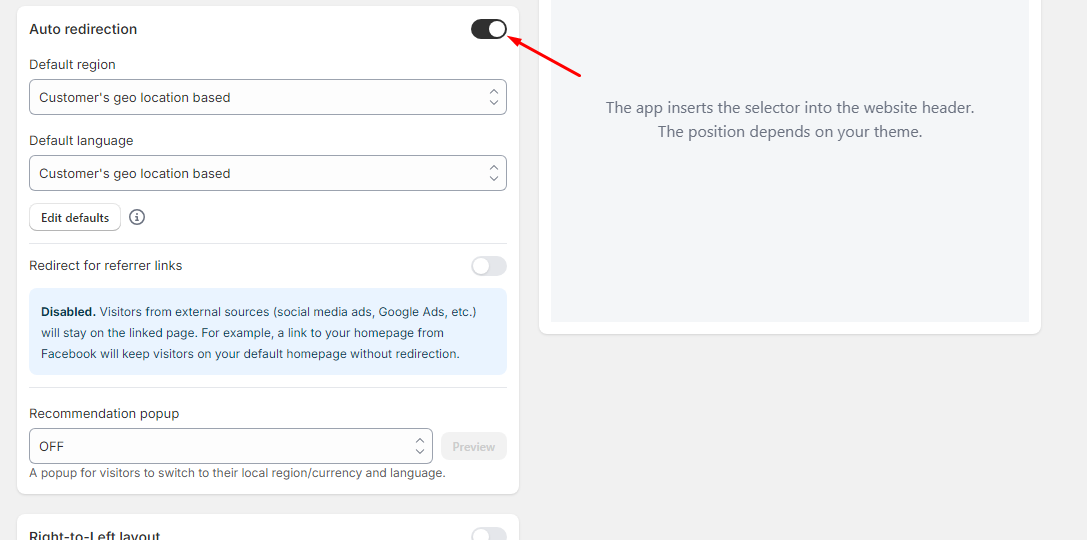
3. Choose how the app selects the visitor’s region for currency and Language.
In the Default language dropdown, you can choose how the app selects the visitor’s language:
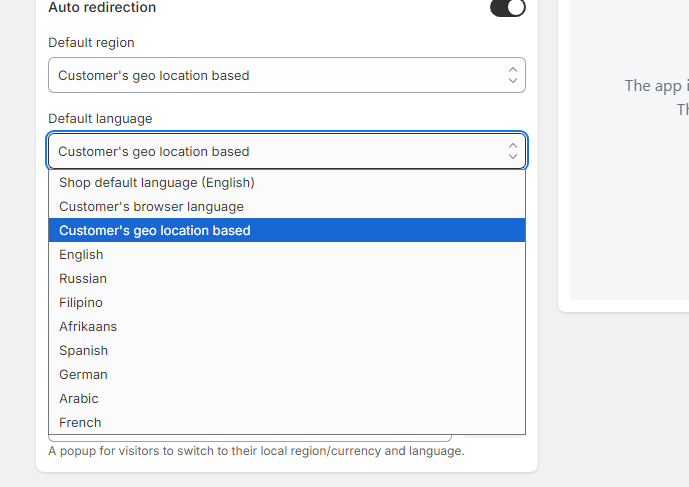

Available Options
| Option | How it Works |
|---|---|
| Customer’s geo-location based | Detects visitor’s country and assigns the language commonly used in that region. |
| Customer’s browser language | Detects language preferences saved in the visitor’s browser. |
| Shop default language | Always displays your store’s main language. |
| Specific language (English, French, Russian, etc.) | Forces the store to always load in the selected language. |
For regions with multiple official languages (e.g., Canada, Switzerland, Belgium, etc.) you can set your preferred language so that visitors are redirected exactly where you want by clicking Edit defaults.
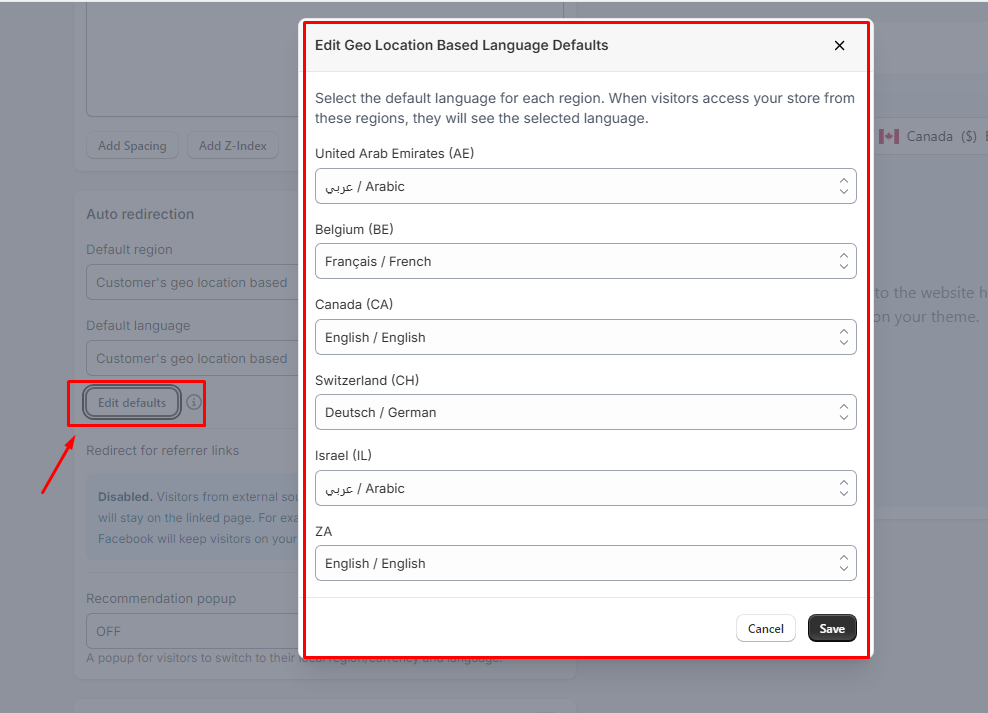
Select your preferred option and click Save.
Setup Referrer Links.
You can also Enable or disable referrer links.

- Disabled
Visitors from external sources such as social media ads, google ads, etc. will stay on the linked page. For example, a link to your homepage from Google ads will keep visitors on your default homepage without redirection.
- Enabled
Visitors from external sources such as social media ads, google ads, etc. will be redirected based on their location. For example, a link from Facebook will redirect visitors to their local version.
How To Test?
Follow this guide to confirm if the feature is working on your store.
Please don't hesitate to reach out to help@hextom.com if you have any additional questions or concerns about the app. We're happy to assist!