
What Technology Does the AI Translator Use?
Our Translate and Currency app’s AI Translation feature is continuously updated to ensure it delivers fast, accurate, and reliable translations using the best available artificial intelligence technologies. We work with leading AI providers to give you access to state-of-the-art language models, while maintaining flexibility and stability through smart fallback systems.
🔧 How Our AI Translation Works
By default, our AI Translation tool uses OpenAI's ChatGPT as its primary engine. This model is selected for its strong performance in language understanding, context awareness, and multilingual accuracy.
Our system continuously monitors the performance and availability of each AI provider. If any temporary errors, outages, or limitations occur, our system automatically switches to alternative AI models to ensure uninterrupted service. This multi-model approach helps us maintain:
✅ High translation accuracy
✅ Reliable performance
✅ Faster processing times
✅ Consistent availability
🤖 Supported AI Models
Our app currently supports the following AI models and versions:
OpenAI – ChatGPT 5.4

Anthropic – Claude Sonnet 4.6

Google – Gemini 3
xAI – Grok 4.1

DeepSeek – Version 4
ByteDance – Seed 1.8
[For Image Translations] Google's Gemini – Nano Banana 2

🎛️ AI Model & Tone Selection (Paid Plans)
If you are on any paid plan, you can customize your AI Translation experience. You may choose:
- Your preferred AI model
- Your desired translation tone (casual, standard, etc.)
To access these settings:
- Visit the Settings tab
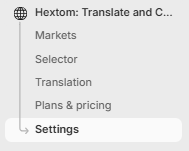
- Visit the Translation tab
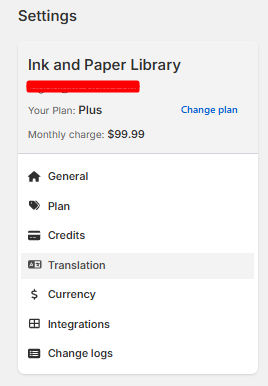
- Choose your preferred AI Translation model and tone, and click Save
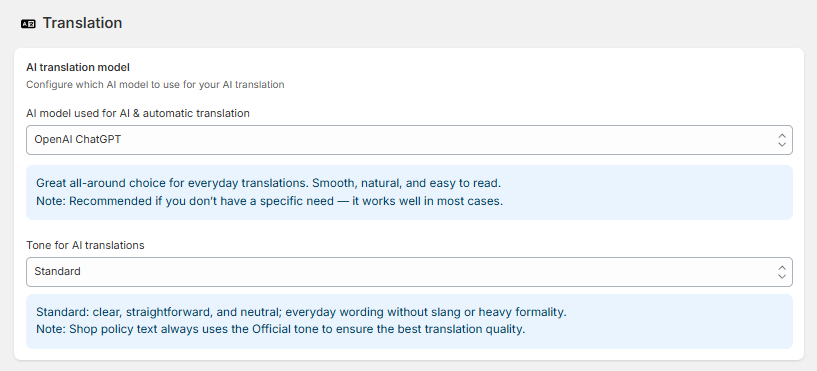
Tone for AI translations:
- Casual — relaxed, friendly, and conversational; simple words and contractions.
- Standard — clear, straightforward, and neutral; everyday wording without slang or heavy formality.
- Professional — polite, respectful, and precise; complete sentences with limited contractions.
- Official — very formal and respectful; uses honorifics or titles where appropriate; no contractions.
- Note: Shop policy text always uses the Official tone to ensure the best translation quality.
✨Custom Prompts
If you are on the 99.99 plan, you may add a custom prompt.
You may either choose to make one or to apply a template.
To access the templates,
- Simply to go "settings"

- Custom Prompts

- Click View examples

- From here, you can simply choose one of the prompts

If you do not wish to use a template, you may create a custom template.
- Simply click the "Create custom prompt"

From here, you can edit the languages, the scope, and the prompt itself. For this example, "All languages" has been selected, along with the entire store as the scope. For the prompt, it depends on the tone and professionalism you want your translations to reflect — in this case, the prompt is configured to read naturally like a native speaker wrote it, address shoppers directly using "You," and maintain a professional tone throughout. Below is the full configuration that has been put in place.

Once done, Simply click save.
📘 Learn More
For a step-by-step walkthrough of our AI Translation features, please visit: How to use AI translation? •
We remain committed to improving our AI Translator by integrating new technologies, refining existing models, and listening to customer feedback. If you have any questions or suggestions, feel free to contact our support team at help@hextom.com